
Email Address Examples: Formats, Rules and Professional Ideas
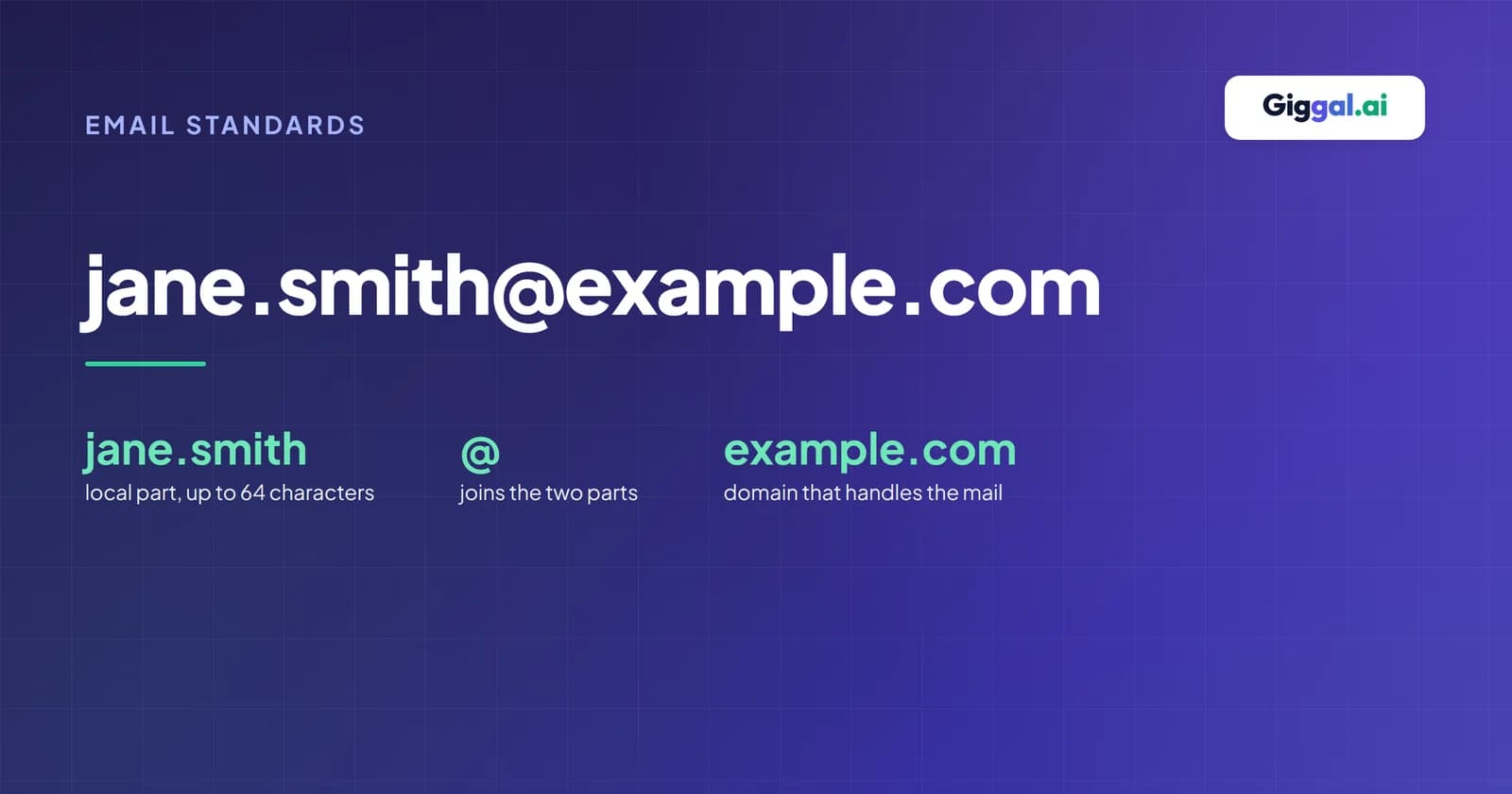
An email address looks like this: jane.smith@example.com. The part before the @ is the name of the mailbox. The part after it is the domain that handles the mail. That's the whole idea, and every address in the world follows it.
This post has email address examples for personal use, job hunting and business. It also covers the format rules that make an address valid, and what to do when a form says an address is invalid.
One note on the examples. Every address here uses example.com, a domain reserved for documentation that can't receive mail (RFC 2606). Many guides use real company domains as examples, which means somebody's inbox gets the test emails. These ones won't.
The parts of an email address
The email address structure is the same everywhere: two parts joined by the @ sign.
| Part | In jane.smith@example.com | What it is |
|---|---|---|
| Local part | jane.smith | The mailbox name. It's chosen by you or your company. |
| @ sign | @ | Separates the mailbox from the domain. Read it as "at". |
| Domain | example.com | Where the mail is delivered. It ends in a top-level domain such as .com or .co.uk. |
You'll sometimes see an address with a name in front, like Jane Smith <jane.smith@example.com>. The name part is just a label that email apps show. The real address is the part inside the angle brackets.
Email address examples for personal use
For a personal address, your name is usually the best choice. It's easy to say over the phone and easy to remember. Here are common patterns:
| Pattern | Example |
|---|---|
| First and last name | janesmith@example.com |
| With a dot | jane.smith@example.com |
| Initial and last name | jsmith@example.com |
| Name and a number, when your name is taken | jane.smith7@example.com |
| Name and a field | jane.smith.design@example.com |
If your name is taken, adding a number is fine. Avoid numbers that look like letters. A "1" and an "l" are easy to mix up when someone types your address from a business card.
Email address examples for job hunting
When you apply for jobs, the address on your CV is one of the first things a recruiter sees. Career centres give the same simple advice: use your name. Monroe Community College, for example, suggests the firstname.lastname format (Monroe CC).
| Use this | Avoid this |
|---|---|
| jane.smith@example.com | partygirl99@example.com |
| j.smith@example.com | jane.smith1994@example.com |
| janesmith.uk@example.com | your current work address |
Two of these deserve a word. A birth year in your address tells employers your age before they've read anything else. And don't apply for a new job from your current work address. Your employer can usually see that inbox, and you'll lose access to the replies if you leave.
Don't overthink it, though. Alison Green, who writes the Ask a Manager advice column, put it simply: "Names, fine. Letters and numbers, fine." (Ask a Manager). What matters is that the address is easy to read and type, and doesn't say anything you wouldn't put on your CV.
If you searched for professional email examples and wanted example messages rather than addresses, our cold email templates have 14 of those.
Business email address examples
At work, most companies pick one format and use it for everyone. These are the common ones, with example names for Jane Smith:
| Format | Example |
|---|---|
| first.last | jane.smith@example.com |
| first initial + last | jsmith@example.com |
| first | jane@example.com |
| first + last initial | janes@example.com |
| first initial . last | j.smith@example.com |
Which is most common depends on how you count. Sendburg looked at 336,782 business addresses. It found first.last in 47.7% of them, flast (like jsmith) in 26.8% and first name only in 8.1% (Sendburg). Hunter counts companies instead, and says 49.9% of the companies in its data use first-name-only addresses (Hunter). Both can be true. Most companies are small and use first names, while most addresses belong to large companies, which favour first.last. Sendburg's own data shows first.last rising from 38% at companies of up to 10 people to 74% at companies with more than 10,000. Both are vendors that sell email-finding tools, so treat the numbers as a guide.
If you need to guess a colleague's address, the email permutator lists every likely format for a name and a domain.
Role addresses
Role addresses belong to a job or a team, not a person. They stay the same when people change jobs. Common examples:
- info@example.com for general questions
- sales@example.com for new customers
- support@example.com for help with a product
- billing@example.com for invoices and payments
- hello@example.com, a friendlier version of info@
Some role addresses are written into the standards. RFC 2142 lists info, sales, support, abuse, security and a few others (RFC 2142). Every mail server is also required to accept mail for postmaster (RFC 5321).
Role addresses are useful for a website contact page, but think twice before adding them to a marketing list. Mailchimp blocks 35 role prefixes on import, including support@, billing@, admin@ and noreply@, because they're linked to high bounce rates and spam complaints (Mailchimp).
Email address format rules
Three sets of rules decide whether an email address works. The email standards set the outer limits. Each provider sets stricter rules for the addresses it lets you create. And web forms often have their own checks, which can be stricter or looser than both. Here's how they compare:
| The email standard | Gmail sign-up | Typical web form | |
|---|---|---|---|
| Characters before the @ | Letters, digits, dots and many symbols, such as ! # $ % & ' * + - / = ? _ | Letters, numbers and dots only | Varies. Some reject + or ' |
| Length | Up to 64 before the @, 254 in total | 6 to 30 characters | Varies |
| Dots | Not first, not last, never two in a row | No two in a row, and dots are ignored | Browser checks allow leading and double dots |
| Upper and lower case | Technically different before the @ | Treated as the same | Usually treated as the same |
| Plus sign | Allowed | Allowed for incoming mail (jane+news@) | Sometimes wrongly rejected |
The sources: the standard's characters come from RFC 5322 (section 3.2.3). Gmail's rules come from its own help page (Google). The browser behaviour comes from the HTML standard, which openly calls its email check "a willful violation" of the email RFC (WHATWG).
How long can an email address be?
The longest an address can be in practice is 254 characters. The part before the @ can be up to 64 characters (RFC 5321). You'll still see 320 quoted in some guides. That figure came from adding 64 and 255, and it was corrected years ago. A mail server can only handle a 256-character path, and two of those characters are angle brackets (RFC 3696 erratum 1690).
Dots, plus signs and capital letters
A few rules surprise people:
- Dots in Gmail don't matter. j.smith@gmail.com and jsmith@gmail.com reach the same inbox. That's only true for personal Gmail. In Google Workspace, used by companies, dots do change the address (Google).
- Plus addressing. Mail to jane+news@gmail.com arrives at jane@gmail.com, so you can sort mail or see who shared your address (Google). Microsoft's business email supports this too, though only for receiving (Microsoft). The Gmail plus addressing tool builds these addresses for you.
- Capital letters. The standard says the part before the @ could be case-sensitive, but it also discourages relying on that. In practice, providers treat Jane@ and jane@ as the same mailbox, and Proton says so in its help pages (Proton). There's more on Gmail and Outlook in are email addresses case sensitive?
- Other alphabets. Addresses can use non-Latin characters, such as Hindi or Chinese, under RFC 6531. Gmail has sent and received them since 2014 (Google), but many older systems still can't handle them.
Valid and invalid email address examples
Here are examples of what works and what doesn't, with the reason for each:
| Address | Valid? | Why |
|---|---|---|
| jane.smith@example.com | Valid | The standard format |
| jane+invoices@example.com | Valid | Plus addressing |
| o'brien@example.com | Valid | Apostrophes are allowed, though some forms reject them |
| jane-smith@example.co.uk | Valid | Hyphens and two-part endings are fine |
| jane.smith.example.com | Invalid | No @ sign |
| jane@smith@example.com | Invalid | Two @ signs |
| jane..smith@example.com | Invalid | Two dots in a row |
| .jane@example.com | Invalid | Starts with a dot |
| jane smith@example.com | Invalid | Contains a space |
| jane@exam_ple.com | Invalid | Underscores aren't allowed in the domain |
One more case catches developers out. Some form checks only accept domain endings of two to four letters. That rejects real addresses, because hundreds of top-level domains are longer, such as .photography or .international. IANA lists more than 1,400 top-level domains in total (IANA).
Why a form says "invalid email address"
When a form or a mail server says an address is invalid, it usually means one of three different things. Mail servers even use different codes for each (RFC 3463):
- The address is typed wrong. It breaks the format rules: a missing @, a space, two dots in a row. Servers report this as a syntax error (code 5.1.3).
- The domain can't receive mail. The part after the @ doesn't exist or has no mail server (code 5.1.2). Typos like gmial.com are a common cause.
- The mailbox doesn't exist. The format and the domain are fine, but there's no such person (code 5.1.1). This is the hard bounce you get when someone leaves a company.
Typos in the domain are more than an annoyance. In one study, researchers registered 76 misspelled versions of popular email domains. They estimated that just three of them would receive about 3,585 real emails a year meant for someone else (Szurdi and Christin).
To fix an address a form won't accept:
- Check the spelling, especially the domain. Google's own list of common mistakes includes typos like gmal.con, stray spaces and a dot at the end (Google).
- Remove any spaces or quotation marks you copied in by accident.
- If you used a plus address and the form rejects it, use your plain address instead.
- If the address looks right, run an MX lookup on the domain to see whether it can receive mail at all.
- To know whether the mailbox itself exists, use the email checker. It checks the address without sending an email.
How to get a professional email address
You have two options.
The quick one is a free account with a provider such as Gmail, Outlook.com or Proton Mail. It costs nothing and works everywhere. Our list of free email providers compares what each one gives you.
The other is an address on your own domain, like jane@yourbusiness.com. You need three things. First, a registered domain. Second, an email host such as Google Workspace or Microsoft 365. Third, MX records that point your domain to that host. Your host gives you the exact records to add (Google). Once it's set up, you can check the records with the MX lookup.
Choose carefully, because some addresses are hard to change later. Gmail lets you change to a new gmail.com address up to three times, once every 12 months (Google). Yahoo doesn't let you change your address at all (Yahoo).
Why email addresses use the @ sign
Ray Tomlinson sent the first network email in late 1971, between two computers sitting side by side. He picked the @ sign to join the user's name to the computer's name, because it meant "at" and didn't appear in anyone's name. He later wrote that the first message was most likely "QWERTYUIOP or something similar" (Ray Tomlinson). In 2010, the Museum of Modern Art in New York added the @ sign to its collection (MoMA).
Frequently asked questions
What is an example of a valid email address?
jane.smith@example.com is a valid email address. It has a mailbox name, one @ sign and a domain with a proper ending. Addresses with numbers, hyphens, underscores or a plus sign before the @ are valid too, such as jane_smith+news@example.com.
What does an email address look like?
It's a name, then the @ sign, then a domain: name@domain.com. The name part identifies the mailbox, and the domain says which server handles the mail.
How do I create a valid email address?
Before the @, use letters, numbers and dots, and don't start or end with a dot. After the @, use a domain that exists and can receive mail. If you're signing up with a provider like Gmail, it will tell you which characters it accepts. It also won't let you pick an address that's already taken.
Can an email address have numbers or underscores?
Yes. Numbers, underscores and hyphens are all allowed before the @. Gmail doesn't let you use underscores when you create an address, but you can still send mail to addresses that have them.
Can an email address have spaces?
Not in a normal address. The standard technically allows spaces inside quotation marks, like "jane smith"@example.com, but almost no real system uses that, and most forms will reject it.
Is a Gmail address OK for a CV or a business?
For a CV, yes, as long as it's based on your name. For a business, an address on your own domain looks more established, and some B2B sign-up forms block free addresses. Many small businesses start with a free address and move to their own domain later.
How do I know if an email address exists?
You can't tell by looking at it. A perfectly formatted address can still belong to nobody. The email checker asks the mail server whether the mailbox exists, without sending a message.