
Spam Word Checker
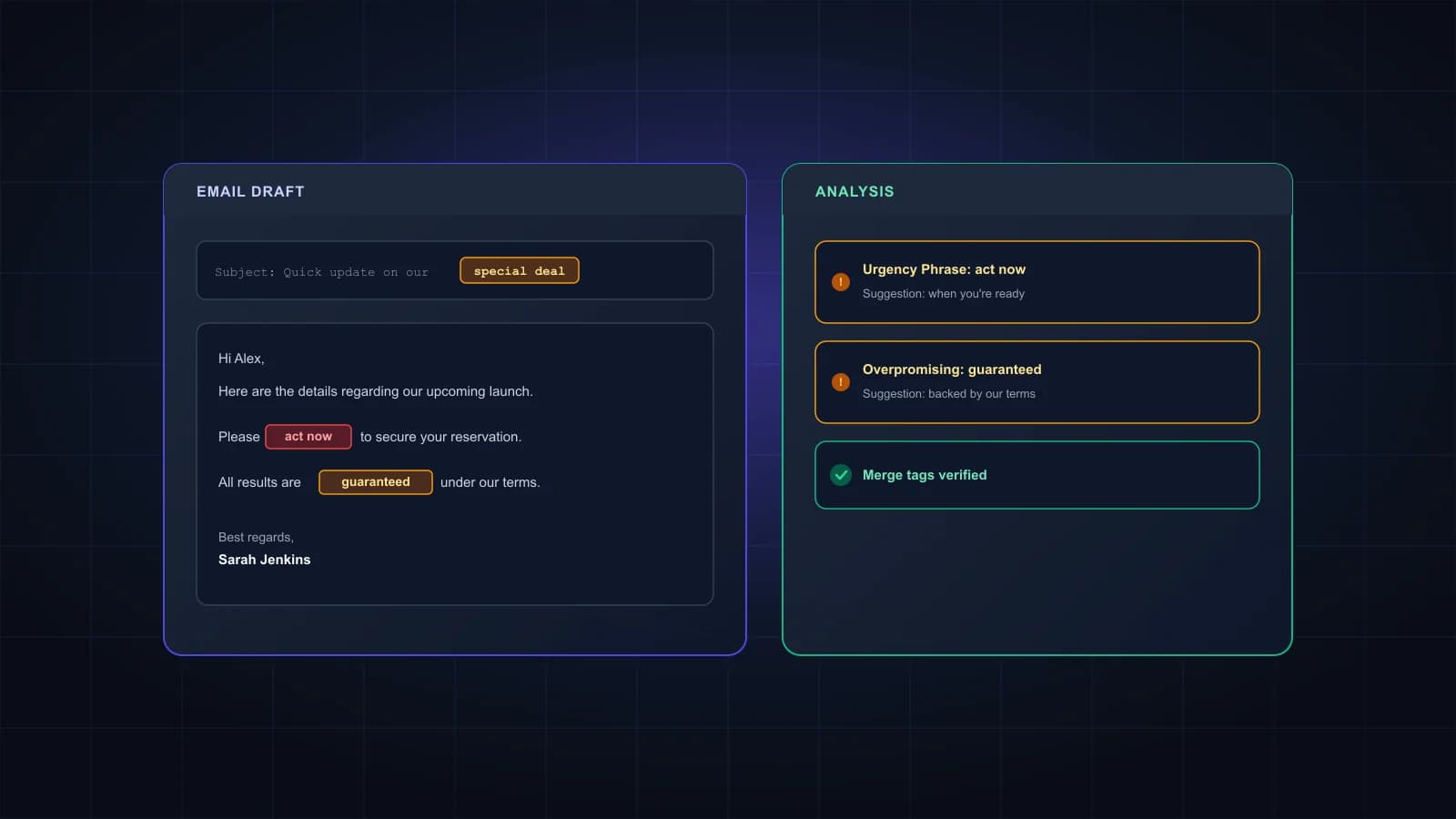
Paste your subject line and email copy to see the words and habits that make filters and readers suspicious.
Runs in your browser. Your email copy isn't sent anywhere.
How to use the spam word checker
- Paste your subject line, and the preview text if you use one.
- Paste the email body. Plain text and copied HTML both work.
- Click Check. Risky words are highlighted in place, and the list below explains each one and suggests a plainer alternative.
- Fix what makes sense, then check again.
Do spam words still matter?
Less than most lists suggest. Gmail and Microsoft decide mostly on who's sending and how people react: whether your domain passes SPF, DKIM and DMARC, how many recipients mark you as spam, and whether your mail bounces. Google's sender guidelines, for example, cover authentication, spam complaint rates and easy unsubscribing, not banned words.
Words still matter in two ways. Some filters score phrases, especially for senders without much history. And pushy wording makes people hit Report spam, which is the signal that really hurts. So treat a highlighted word as a question to ask yourself, not a rule: free shipping on orders over $50 is fine, while FREE MONEY, ACT NOW isn't.
What the checker looks for
Words and phrases in five groups: urgency (act now, last chance), money (100% free, lowest price), overpromising (guaranteed, risk-free), shady wording that scams use (no credit check, this isn't spam) and clickbait (you won't believe).
Formatting that looks careless or pushy: subject lines in capitals, strings of exclamation marks, and rows of dollar signs.
Links: shortened links like bit.ly hide where they lead, and both filters and readers distrust them. Lots of links in a short cold email also stand out.
Slips that give away a bulk send: merge tags that didn't fill in, like {{first_name}} or *|FNAME|*, and a Re: or Fwd: on a message that isn't a reply.
What a clean result doesn't tell you
A clean check means the copy itself isn't raising flags. It says nothing about your sending domain or your list, which matter more. Mail from a domain without SPF, DKIM and DMARC, or sent to a list full of dead addresses, can land in spam however carefully it's written. SPF, DKIM and DMARC explained covers the first, and email list cleaning covers the second.
Frequently asked questions
Yes, in normal context. Free trial or free shipping is ordinary marketing language. It becomes a problem when it’s stacked with other pushy phrases, written in capitals or used to promise something that sounds too good to be true.
No. The check runs in your browser, so you can paste unpublished campaigns safely.
A Re: or Fwd: on a first message is an old trick to fake a conversation. Readers notice, and it can earn spam reports. Keep it for real replies.
Not on its own. It removes one set of warning signs. Inbox placement depends more on your sender reputation, your authentication and the quality of your list.
There’s no official number. One link, or none in the first email, is common practice for cold outreach, because a message full of links looks like marketing.
Because no checker knows how a specific inbox will treat your mail, and a precise-looking score would suggest otherwise. You get a plain summary and a list of things worth fixing instead.
Copy clean? Check the list.
Bounces from dead addresses hurt your reputation more than any word. Verify your list before you send. 1,000 free credits.