
Email Permutator
Enter a name and a company domain to get every likely email address format, most common first.
Runs in your browser. Nothing you type is sent anywhere.
How to use the email permutator
- Enter the person's first and last name, exactly as they write it. Add a middle name or nickname if you know one.
- Enter the company's email domain, such as example.com. You can add more than one domain if the company uses several.
- Click Generate. The formats appear below, with the most common ones first.
- Copy the list or download it, then verify the addresses to find out which one exists.
For a list of people, switch to Bulk and upload a CSV with first name, last name and domain columns. You get every format for every row in one file.
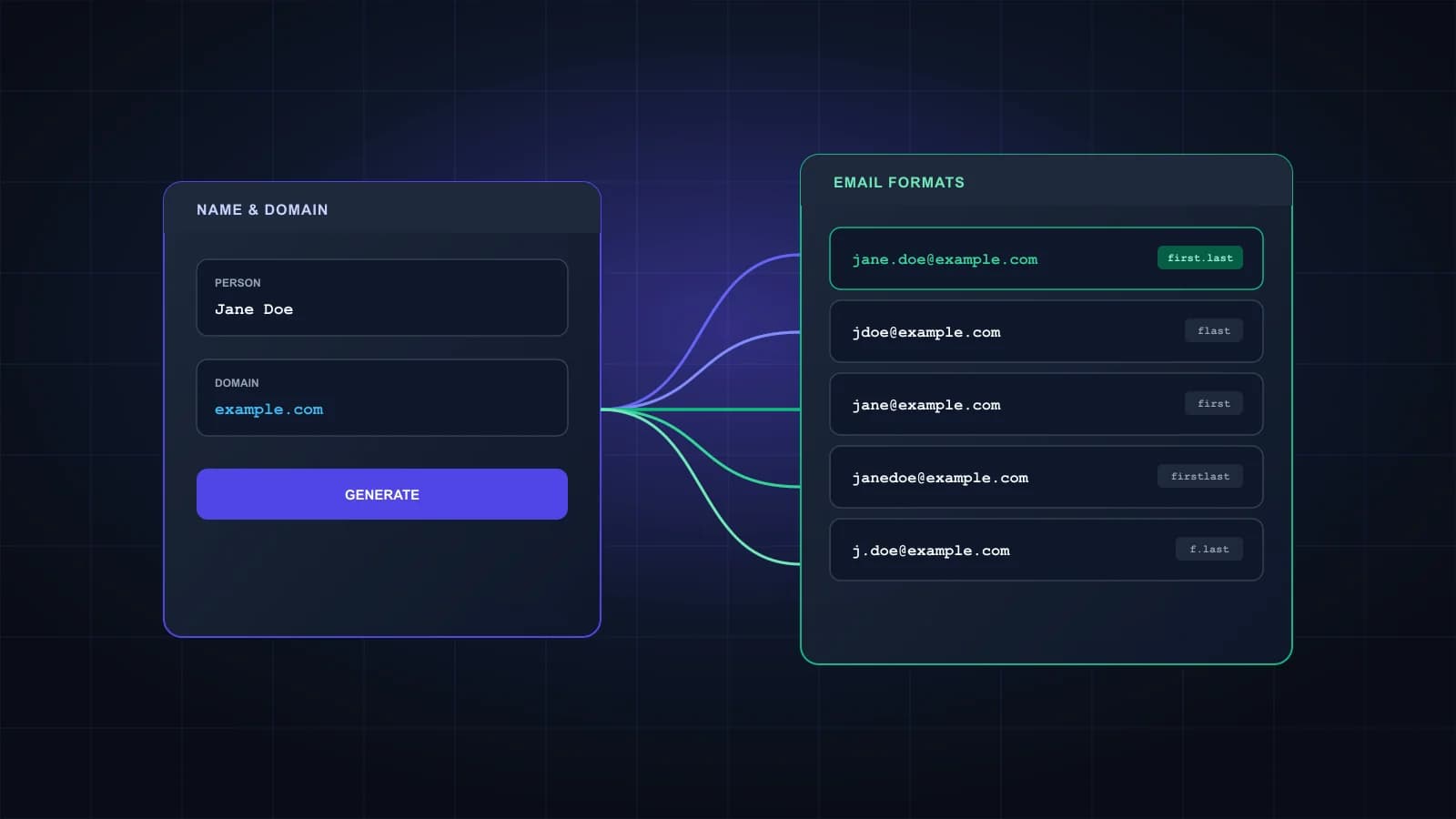
The email formats it generates
| Pattern | Example for Jane Doe at example.com |
|---|---|
| first.last | jane.doe@example.com |
| flast | jdoe@example.com |
| first | jane@example.com |
| firstlast | janedoe@example.com |
| first_last | jane_doe@example.com |
| f.last | j.doe@example.com |
| firstl | janed@example.com |
| last.first | doe.jane@example.com |
| lastf | doej@example.com |
| last | doe@example.com |
The full list also covers hyphens, reversed orders and middle initials. first.last is the usual starting point for company addresses, with flast and first close behind, but every company picks its own convention, so treat the order as a guide rather than a rule.
Names with accents, apostrophes and two surnames
Email addresses rarely contain accents, so the permutator writes José as jose and Zoë as zoe. German names get both spellings, because companies handle them differently: Müller becomes muller and mueller, and ß becomes ss. Apostrophes and full stops are dropped, so O'Brien becomes obrien. Two-part surnames like de la Cruz produce versions with the parts joined (delacruz) and with only the last part (cruz), and hyphenated names keep the hyphen in some formats and drop it in others.
Why you still need to verify the list
A permutator only writes out guesses. At most one of these addresses belongs to the person, and sometimes none do. Sending to all of them means bouncing on the rest, which hurts your sender reputation.
Verification tells you which mailbox exists, but it has a weak spot: catch-all domains. A catch-all server accepts mail for any address, so a basic checker reports every format on the list as valid. Giggal resolves catch-all addresses to valid or invalid, which is what makes a permutator list usable on those domains. Read more about catch-all email addresses, or test one address with the email checker.
Using these addresses responsibly
Guessing an address is common in B2B outreach, but how you use it still matters. Write to people who have a clear reason to hear from you, keep the message relevant to their job, and make it easy to opt out. Privacy and anti-spam rules such as GDPR and CAN-SPAM apply to the emails you send, however you found the address.
Frequently asked questions
Yes, with no signup and no limit. It runs in your browser, so nothing you type is sent to us.
18 for a first and last name, and more when you add a middle name, a nickname or a second domain. Duplicates are removed.
first.last@ is the one to try first at most companies, followed by flast@ and first@. Smaller companies often use the first name alone. Every company sets its own rule, so verify instead of assuming.
Yes. Use Bulk mode and upload a CSV with first name, last name and domain columns. The download has one row per generated address, with the pattern name next to it.
No. It only generates the likely formats. Verify them to find the one that exists, and use a verifier that handles catch-all domains, or every format will look valid.
Leave the last name empty and you get the first-name formats only, like jane@. Those are much less likely to be right.
Found the formats? Find the real one.
Verify the list and see which address exists, including on catch-all domains. 1,000 free credits.