
DKIM Generator
Create a DKIM key pair and the exact TXT record to publish. The key is generated in your browser and never sent anywhere.
How to set up DKIM with a generated key
- Enter your domain and a selector, pick a key size and click Generate.
- At your DNS host, create a TXT record. Use the record name shown above (selector._domainkey, or the full name if your provider asks for it) and paste the TXT value.
- Install the private key in your mail server's DKIM signing settings, using the same selector and domain.
- Send a test message to a personal Gmail account and open Show original. Next to DKIM it should say PASS.
If it doesn't pass, check that the DNS record has finished publishing and that the selector on the server matches the one in DNS exactly. For how DKIM fits with SPF and DMARC, see SPF, DKIM and DMARC explained.
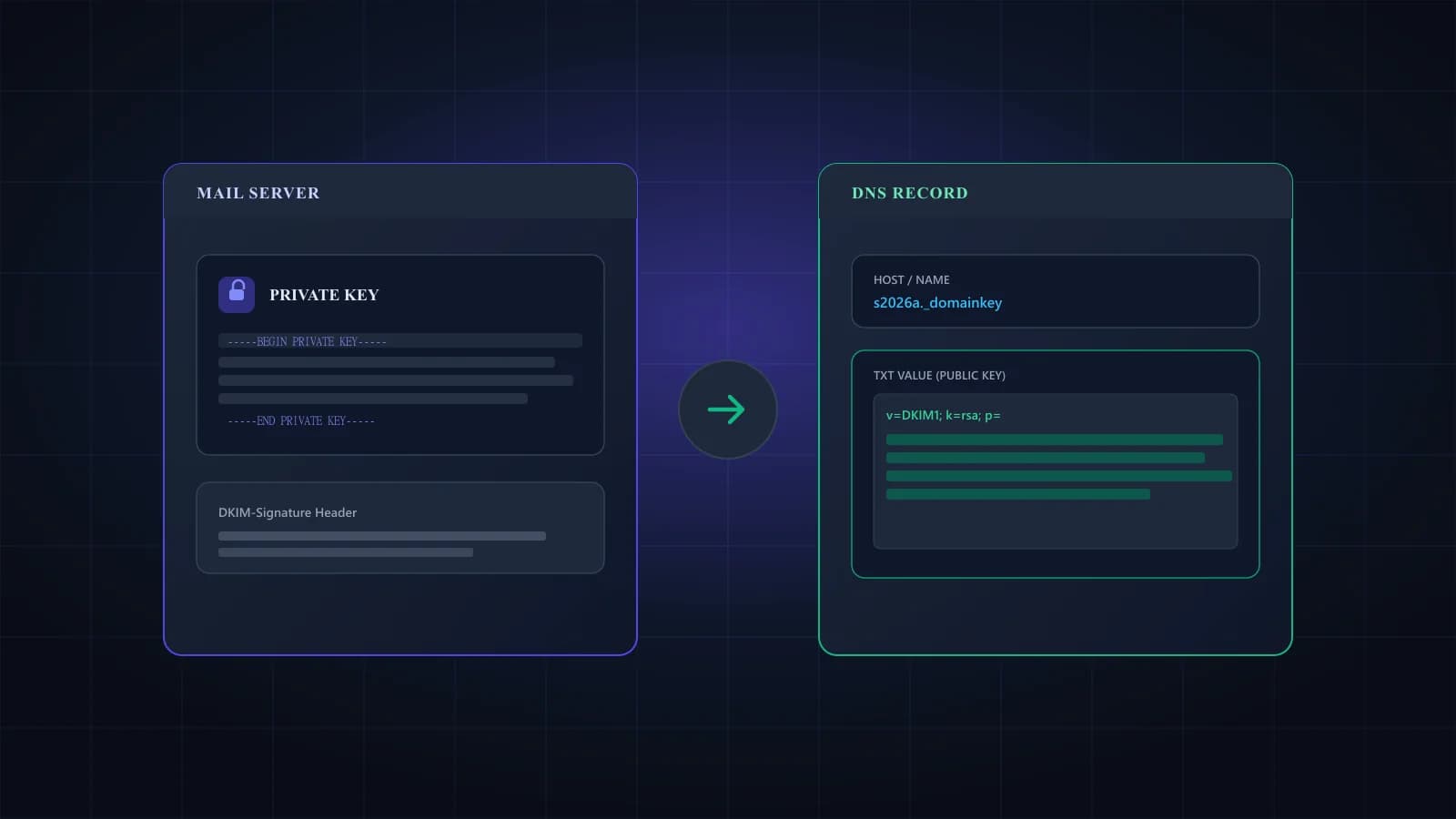
Choosing a selector and key size
The selector is just a label, so pick one you'll recognize later. A date-based name like s2026a makes it obvious which key is current when you rotate. It can contain letters, digits, hyphens and dots.
For key size, 2048 bits is the safe default. Gmail requires DKIM keys of at least 1024 bits and recommends 2048, and RFC 8301 says signers must use at least 1024 bits and should use 2048. The same RFC requires receivers to handle keys up to 4096 bits, but a 4096-bit record is long enough that some DNS panels struggle with it, so only choose it if you have a reason to.
What's in a DKIM record
| Tag | What it means | Example |
|---|---|---|
| v | Version. Optional, but if it's there it must come first | v=DKIM1 |
| k | Key type. rsa is the default | k=rsa |
| p | The public key, base64 encoded. An empty p= means the key has been revoked | p=MIIBIjAN... |
| t | Flags. y means testing, s means the key can't be used for subdomains | t=y |
Three more tags exist (h for hash algorithms, n for notes and s for service type), but you rarely need them.
Why long DKIM records get split
A 2048-bit public key is about 390 characters long once it's base64 encoded. DNS stores TXT data as strings of up to 255 characters each (RFC 1035), so a key that long has to be published as two or more strings, and receivers join them back together before checking the signature. Most DNS panels split the value for you when you paste the single-string version. The zone-file version above is for people editing a BIND zone file directly, where the strings sit inside parentheses so the record can span several lines.
Rotating DKIM keys
To change keys without breaking anything, generate a new pair under a new selector and publish its record alongside the old one. Switch your server to sign with the new selector, then remove the old record once the mail signed with it has been delivered.
Frequently asked questions
The key pair is created by your browser’s built-in Web Crypto API, and the private key is never sent to our servers or anywhere else. That also means we can’t recover it, so download it before you leave the page.
On your mail server, in its DKIM signing settings, and nowhere else. Never put it in DNS or send it by email. Only the public key, inside the TXT value, gets published.
Use 2048 unless your DNS host can’t store the longer record. Gmail accepts 1024 as a minimum but recommends 2048, and RFC 8301 says signers should use at least 2048.
Each string in a TXT record can hold at most 255 characters, and a 2048-bit key is longer than that. Receivers join the strings back into one value, so splitting doesn’t change the record.
Many signing tools accept the standard PKCS#8 file (BEGIN PRIVATE KEY). If yours asks for BEGIN RSA PRIVATE KEY, download the PKCS#1 version instead; it’s the same key in an older format.
Send a message from your server to a personal Gmail account, open it and choose Show original. Gmail lists the DKIM result near the top; you want PASS for your domain.
No. Both create their own DKIM keys, so use the setup in their admin consoles. This tool is for servers where you control the signing key.
DKIM sorted? Check your list next.
Signed mail still bounces if the address doesn't exist. Verify your list before the next send. 1,000 free credits.