
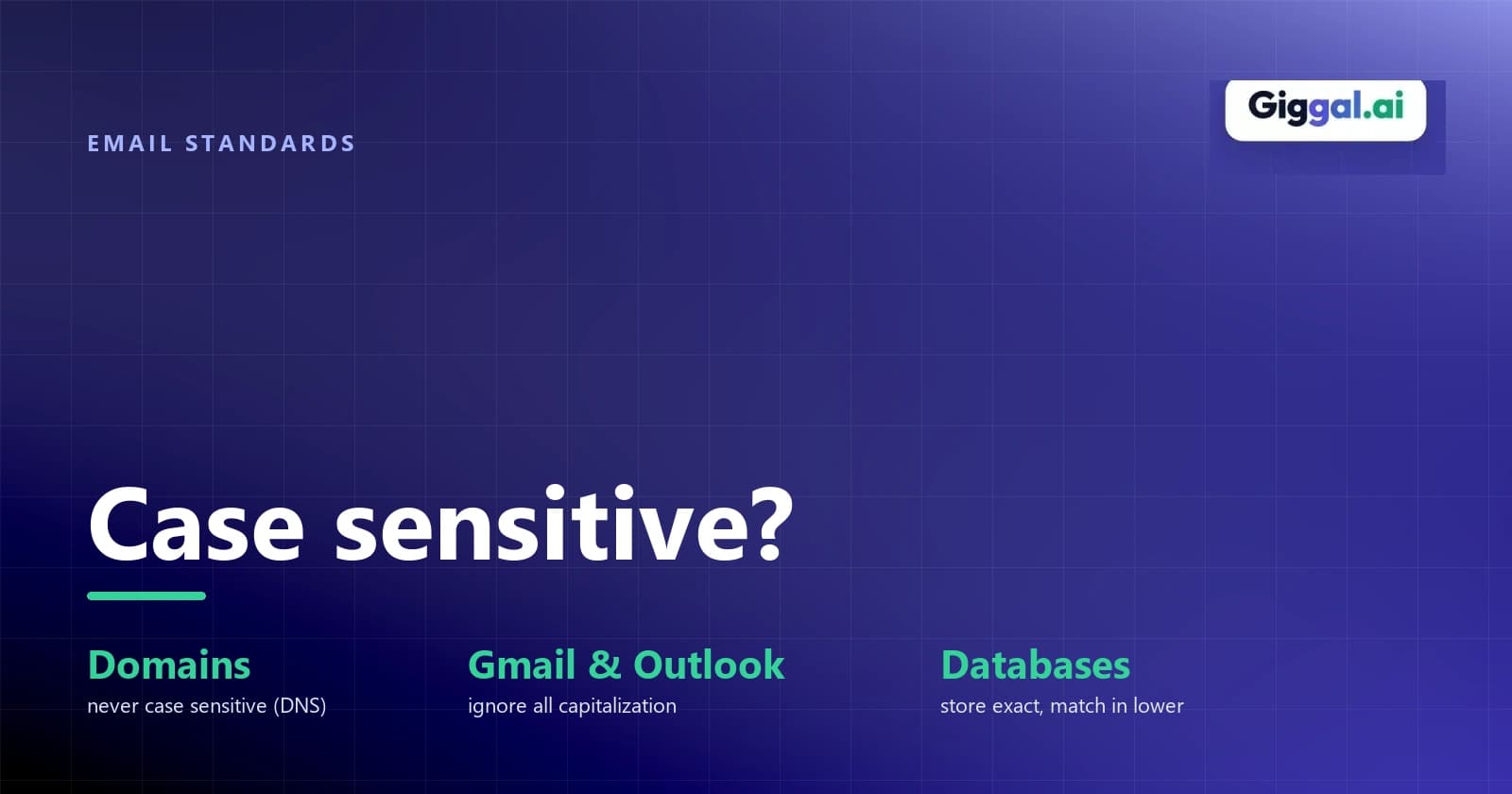
Are Email Addresses Case Sensitive?
Email addresses are mostly not case sensitive. Type John.Smith@gmail.com or john.smith@gmail.com and the mail lands in the same inbox, and the part after the @ ignores capitals completely. The catch is the part before the @. The email standard technically lets a server treat Smith and smith as two different people, which is worth knowing if you run a signup form or a mailing list.
The part after the @ never cares
The domain name following the @ sign is never case sensitive. RFC 5321 says mailbox domains follow normal DNS rules, and DNS ignores letter case. That means GMAIL.COM, Gmail.com, and gmail.com point to the exact same mail server. You can type the domain in uppercase or lowercase without changing where your message goes.
Are emails case sensitive before the @?
The local-part, the username to the left of the @, works differently. According to RFC 5321 section 2.4, "the local-part of a mailbox MUST BE treated as case sensitive." Servers passing your message along must keep uppercase and lowercase letters exactly as written. The receiving server that holds the mailbox decides whether Smith and smith belong to two separate people.
The same section also warns that "exploiting the case sensitivity of mailbox local-parts impedes interoperability and is discouraged." Picture two coworkers at one company, JSmith@ and jsmith@, and how often their mail would get mixed up. The big providers sidestep that by ignoring case altogether.
Gmail and Outlook
The providers handling most consumer mail decided to ignore capitalization completely. Product experts in Gmail's help community confirm that Gmail ignores capitals, both when you create an account and when mail arrives. Whether someone writes to JaneDoe@gmail.com or janedoe@gmail.com, Google delivers both to the same mailbox. Google also treats @googlemail.com and @gmail.com as the same address.
Gmail also ignores dots in consumer addresses, so jane.doe@gmail.com and janedoe@gmail.com reach the same inbox. But don't assume that applies everywhere. Google's documentation states that dots do matter for Google Workspace accounts managed through work or school domains. Dots and capitals are separate rules, so don't assume another provider ignores dots just because Gmail does.
Microsoft's answer is similar. In a reply on Microsoft's support forum, a responder explains that the part after the @ is never case sensitive, that the username's case depends on the provider, and that large providers such as Outlook and Gmail ignore it. The same reply adds that a few companies do run case-sensitive servers of their own.
When capitals can still cause trouble
Logins are where it usually bites. If you sign up as Sarah@example.com on a phone because the keyboard capitalized the first letter, and later log in typing sarah@example.com, a naive system reports no account found. The user didn't change their address, but the login form compared the text with strict case sensitivity.
Lists and CRMs have their own version of the problem. When someone signs up as Bob@company.com and later downloads a guide as bob@company.com, many platforms count two separate leads. That inflates your metrics and sends people duplicate campaigns. Dedupe records ignoring case before you verify or send to a marketing list.
Then there's the rare company server that does treat case strictly, the exception Microsoft's reply mentions. If a contact writes their address as M.MacDonald@specialtycorp.com on a business card, keep that capitalization when you write to them. It won't hurt standard systems, and it avoids delivery trouble on systems that care.
If you store email addresses
If you build web applications or manage contact databases, use a case-preserving approach: store the address exactly as the user typed it, but perform all comparisons, lookups, and uniqueness checks in lowercase.
Preserving the original input respects user display preferences in profiles and email headers, while lowercase normalization prevents duplicate accounts. If someone signs up as IStillUse@AOL.COM, don't force their display name to lowercase, but treat iSTilLUSE@aol.com as a duplicate of it.
For uniqueness in PostgreSQL, index the lowercased expression rather than adding a plain unique constraint:
CREATE UNIQUE INDEX users_email_lower ON users (lower(email));PostgreSQL also provides the citext extension, which compares strings case-insensitively. In MySQL, the default collation (utf8mb4_0900_ai_ci) is already case-insensitive, so standard unique keys handle duplicate casing without extra functions.
Watch out for the lowercasing trap in backend languages, particularly Java. In Java, calling email.toLowerCase() uses the server's default locale. In a Turkish locale, the uppercase Latin letter I converts to ı (a dotless small letter i) instead of i, breaking addresses like INFO@example.com. To prevent this bug, pass Locale.ROOT:
// Locale.ROOT avoids language-specific letter mapping like Turkish dotless i
String cleanEmail = email.toLowerCase(Locale.ROOT);
JavaScript's toLowerCase() is safe from this trap because it uses Unicode default mappings rather than host locale settings; only toLocaleLowerCase() is locale-dependent.
To catch broken formatting and bad entries before they reach your database, validate addresses with an email validation API at signup. It catches typos and dead domains while the person is still on the page.
Frequently asked questions
Is Gmail case sensitive? No, Gmail ignores capitalization for account creation and message delivery. If your address is john.doe@gmail.com, you will receive messages sent to JOHN.DOE@gmail.com and John.Doe@googlemail.com. You cannot register a new account whose letters only differ by case from an existing user.
Does it matter if I type my email address with capital letters? For normal sending to consumer and business inboxes, capital letters won't stop delivery. The receiving mail server ignores the case and delivers the message normally. You only need to be careful with login forms that compare email addresses as exact strings.
Is an email ID case sensitive? In practice, no. An email ID is just another name for an email address, and Gmail, Outlook and the other large providers ignore capitals in it. The standard does let a server treat capitals before the @ as different, but that's rare, so writing your ID with capitals for readability is very unlikely to cost you any mail.
Should I save email addresses in lowercase? You should compare and index email addresses in lowercase to prevent duplicate accounts and login failures. Keeping the user's original capitalization in a display column lets you format notifications cleanly. If you can only keep one column, store the address as typed and compare it with lower() so you don't lose the original.
Can capital letters make an email bounce? Very rarely. It only happens on an unusual server that's set up to treat Admin@ and admin@ as separate mailboxes. If an address with capitals bounces, look for something else first, like a typo or a mailbox that no longer exists. The code in the bounce message tells you which, as explained in hard bounce vs soft bounce.
Capitals won't stop an email from arriving, but a typo will. If you're cleaning a contact list before the next send, run it through Giggal.ai to catch dead mailboxes and broken domains first.