
What Does Cleaned Mean in Mailchimp?
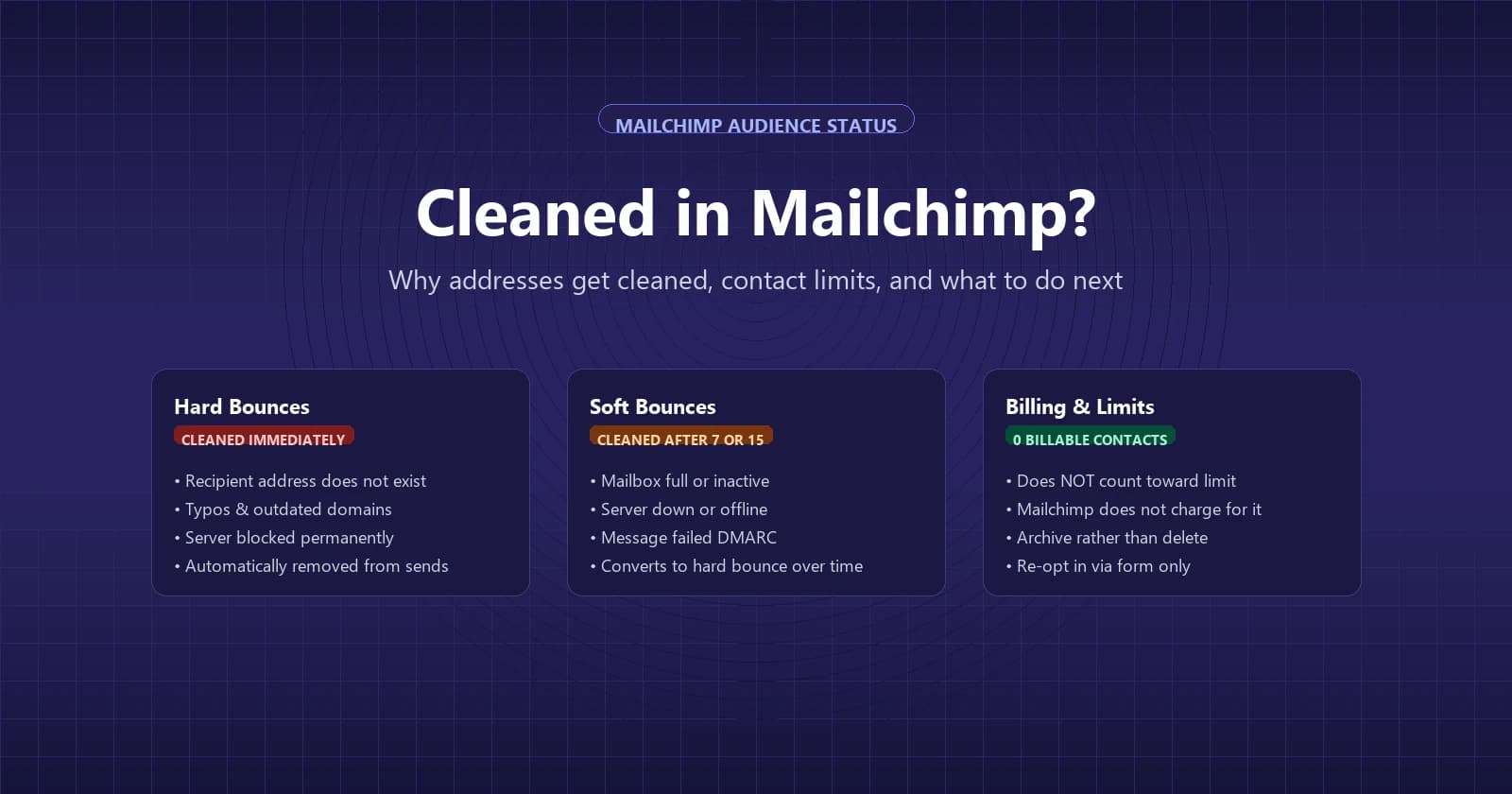
Cleaned in Mailchimp means Mailchimp has stopped sending to that address because it hard bounced, or soft bounced too many times, and Mailchimp considers it invalid. The name trips people up, because cleaned sounds like Mailchimp tidied up or fixed something for you. In reality, nothing was repaired. The contact stays in your audience marked with a Cleaned badge, can't receive any email from you, and doesn't count toward your monthly contact limit.
Why Mailchimp cleans an address
Hard bounces are permanent delivery failures where a receiving server rejects an email outright. Mailchimp's common reasons are a mailbox that doesn't exist and a receiving server that has permanently blocked delivery. Typos like typing con instead of com, and old addresses of people who left a company, are typical examples. In most cases, Mailchimp automatically and immediately cleans addresses that hard bounce, excluding them from every future campaign sent to your audience.
Soft bounces work differently because they represent temporary delivery failures. When an address soft bounces, Mailchimp attempts delivery again on future sends rather than cutting it off right away. But if an address keeps failing repeatedly, Mailchimp converts it to a hard bounce and cleans it. Mailchimp applies a specific count to this process: it cleans an address after 7 soft bounces if the contact has no prior subscriber activity, and allows up to 15 soft bounces for contacts with previous subscriber activity.
Mailchimp lists multiple reasons a campaign message can soft bounce. The recipient's mailbox might be full, inactive, or configured incorrectly. Their mail server might be down or offline, or your campaign may have sent too many emails to that server in a short period. Other soft bounce reasons include messages that are too large, domains that temporarily do not exist, content filters, or messages that cannot be relayed. An email can also soft bounce if it fails to meet the destination server's anti-virus, anti-spam, or sender requirements, or if the message failed DMARC.
Mailchimp says it can't predict whether an email will bounce before you send it, and that each mailbox provider bounces mail based on its own rules. Once a campaign send finishes, bounce receipts remain available inside your Mailchimp email reports for 30 days after sending. You can read more about how mail servers classify delivery problems in our guide on hard bounce vs soft bounce, or review Mailchimp's guide on Soft vs. Hard Bounces.
Cleaned vs unsubscribed, archived and other contact types
Mailchimp divides contacts into distinct categories that determine whether they can receive messages and whether you pay for them:
| Status | What it means | Can receive | Counts toward contact limit |
|---|---|---|---|
| Subscribed | Opted in to receive your email campaigns | Marketing emails, marketing texts, ads, transactional emails | Yes |
| Unsubscribed | Opted out of receiving your marketing campaigns | Ads and transactional emails | Yes |
| Non-subscribed | Interacted with you (a store, integration or import) but never opted in | Ads and transactional emails | Yes |
| Cleaned | Address had a hard bounce or repeated soft bounces; non-deliverable | Nothing | No |
| Pending | Submitted a signup form but has not confirmed double opt-in | Nothing | No |
| Archived | Removed from the active audience while preserving profile data | Nothing | No |
| Deleted | Permanently removed; can't be undone | Nothing | No |
Both cleaned and unsubscribed statuses prevent you from sending marketing campaigns to an email address, but the distinction matters for your monthly bill. Unsubscribed is the subscriber's choice, and Mailchimp still counts that contact toward your monthly contact limit. Cleaned is Mailchimp's decision after delivery fails; the address can't receive anything, and Mailchimp doesn't charge for it. Pending contacts that remain unconfirmed are automatically removed from your audience after 60 days. Accounts on legacy paid plans created before 15 May 2019 may have different contact limit rules.
What to do with cleaned contacts
Mailchimp recommends archiving cleaned contacts rather than deleting them. Archiving keeps the contact's history and keeps the bad address on record in your audience, which Mailchimp says helps you avoid bouncing to it again. Mailchimp advises deleting contacts for GDPR compliance requests only, because deleting permanently erases the record and cannot be undone. Archiving cleaned contacts won't reduce your monthly bill, because cleaned addresses don't count toward your plan limit anyway. Mailchimp explains this policy in its documentation About Cleaned Contacts.
To review or export every cleaned address from your Mailchimp audience, you can isolate them using segments:
- Open the Audience tab in your Mailchimp dashboard and click Segments.
- Click Create segment.
- Set the segment criteria so Email subscription status is one of Cleaned.
- Click Use segment, enter a name for the segment, and save it.
- Open the saved segment, click Export segment, and confirm the export request.
- Click View exports in the notification banner, then click Download CSV to save the file.
When a contact gets cleaned because of a simple typo, such as user@gmai.com or name@conpany.com, you cannot edit the existing contact record. To correct the error, add the fixed email address as a brand-new contact. Because Mailchimp doesn't charge for cleaned addresses, keeping the original record with the typo on file costs you nothing.
Valid email addresses occasionally hard bounce. Before taking action, inspect the bounce reason in your campaign report. A strict corporate firewall or spam filter may have rejected the message with SMTP replies like Denied, Unacceptable Content, or Blocked. In corporate setups, a company filter might block Mailchimp's sending IP addresses entirely, which the recipient's IT team can fix by adding Mailchimp's IP addresses to their allowlist. In other cases, a major mailbox provider may be blocking you temporarily, which Mailchimp says can lift within a day or two once spam complaints die down. You can diagnose specific server error replies by reading bounce messages. If the address is definitely valid and the delivery barrier has been removed, the contact has to sign up again through your signup form to re-enter your audience. Mailchimp doesn't let you manually switch a cleaned contact back to subscribed yourself.
When a lot of contacts get cleaned at once
If a recent campaign caused a large cluster of contacts to get cleaned at once, your account could be facing automatic suspension. Mailchimp suspends accounts automatically when a single send exceeds established industry thresholds for bounces, unsubscribes, or abuse complaints. Mailchimp says internet service providers and anti-spam organizations require it to enforce these limits. If Mailchimp suspends your account, sending is disabled while compliance teams investigate, but logging in, API calls, and data access keep working normally.
Old lists are the usual suspect, because people change jobs, abandon mailboxes and close accounts. If you haven't emailed your audience in a while, Mailchimp suggests reconfirming your contacts before scheduling a mass campaign, asking subscribers to verify that they still want to receive your messages.
Mailchimp also strongly recommends authenticating your sending domain, configuring DMARC, and never using a free email address from Gmail or Yahoo as your From address.
How to keep contacts from getting cleaned
The most direct way to keep addresses from getting cleaned is to verify your lists before you import them or send campaigns. An email verification tool tests whether each mailbox actually exists on the destination server before a campaign goes out, stopping invalid addresses from bouncing in your account. This is where Giggal can connect to Mailchimp using an API key: it imports your audience's subscribed contacts, checks whether each mailbox exists, and resolves addresses on catch-all domains. Once verification finishes, you download the results as a CSV file and manually archive or unsubscribe the bad addresses directly inside Mailchimp. It doesn't change anything in your Mailchimp audience itself.
Verifying before you send keeps bounces down. If you have an older segment that hasn't received email in a while, run it through a verifier or send a reconfirmation campaign before including it in a main newsletter. Make sure your domain authentication records stay valid in DNS, because a DMARC alignment failure is one of Mailchimp's recognized soft bounce triggers. Remember that verifying your audience will not restore contacts that Mailchimp has already cleaned: once an address receives the Cleaned status, Mailchimp only permits that person to return through a fresh submission on your signup form.
Frequently asked questions
Do cleaned contacts count toward my Mailchimp bill? No, cleaned contacts don't count toward your monthly contact limit, and Mailchimp doesn't charge for them. Of the contact types, only subscribed, unsubscribed and non-subscribed contacts count toward your plan's contact limit.
Can I resubscribe a cleaned contact? No, you cannot manually change a cleaned contact back to subscribed from inside your Mailchimp dashboard. The subscriber must re-enter their information through your Mailchimp hosted signup form or an embedded form on your website to opt back in.
How many soft bounces before Mailchimp cleans a contact? Mailchimp cleans an address after 7 soft bounces if the contact has no prior subscriber activity on record. If the contact has previous subscriber activity, Mailchimp allows up to 15 soft bounces before converting the address to a hard bounce and cleaning it.
Should I delete cleaned contacts? No, Mailchimp recommends archiving cleaned contacts rather than deleting them. Archiving keeps the record in your audience, which Mailchimp says helps you avoid bouncing to that address again. Mailchimp says to delete contacts for GDPR purposes only.
Why did Mailchimp clean an address I know is valid? Valid email addresses can hard bounce if a corporate spam filter or firewall blocks Mailchimp's servers with SMTP responses like Denied or Blocked. If the recipient asks their network administrator to allowlist Mailchimp's sending IP addresses, they can re-join your audience through your signup form.
A cleaned badge is Mailchimp protecting your sending reputation after the fact; verifying first stops the bounce from happening at all. Run your subscriber list through Giggal.ai before your next send to find invalid addresses before Mailchimp cleans them.