


n8n Email Verification Integration
Run Giggal.ai inside your n8n workflows with the official community node. Verify a single address, push through a whole list, and resolve the catch-all emails other nodes give up on. Install once from npm, then it behaves like any other n8n node.
What the Node Can Do
Two resources, four operations. Email for real-time checks, Job for bulk work.
Verify
Check one email address in real time, catch-all resolution included. 1 credit per check.
Verify Batch
Send a whole list in one go. Returns a job ID your workflow can poll.
Get Status
Check how far along a batch job is: processed count, percentage, completion time.
Get Results
Pull the finished results, paginated, with an optional filter like deliverable or catch_all.
Install the Node and Verify Your First Email
Five minutes from a fresh n8n instance to a verified email. You will need a self-hosted n8n instance and a free Giggal.ai account.
- 1
Open Community nodes in your n8n settings
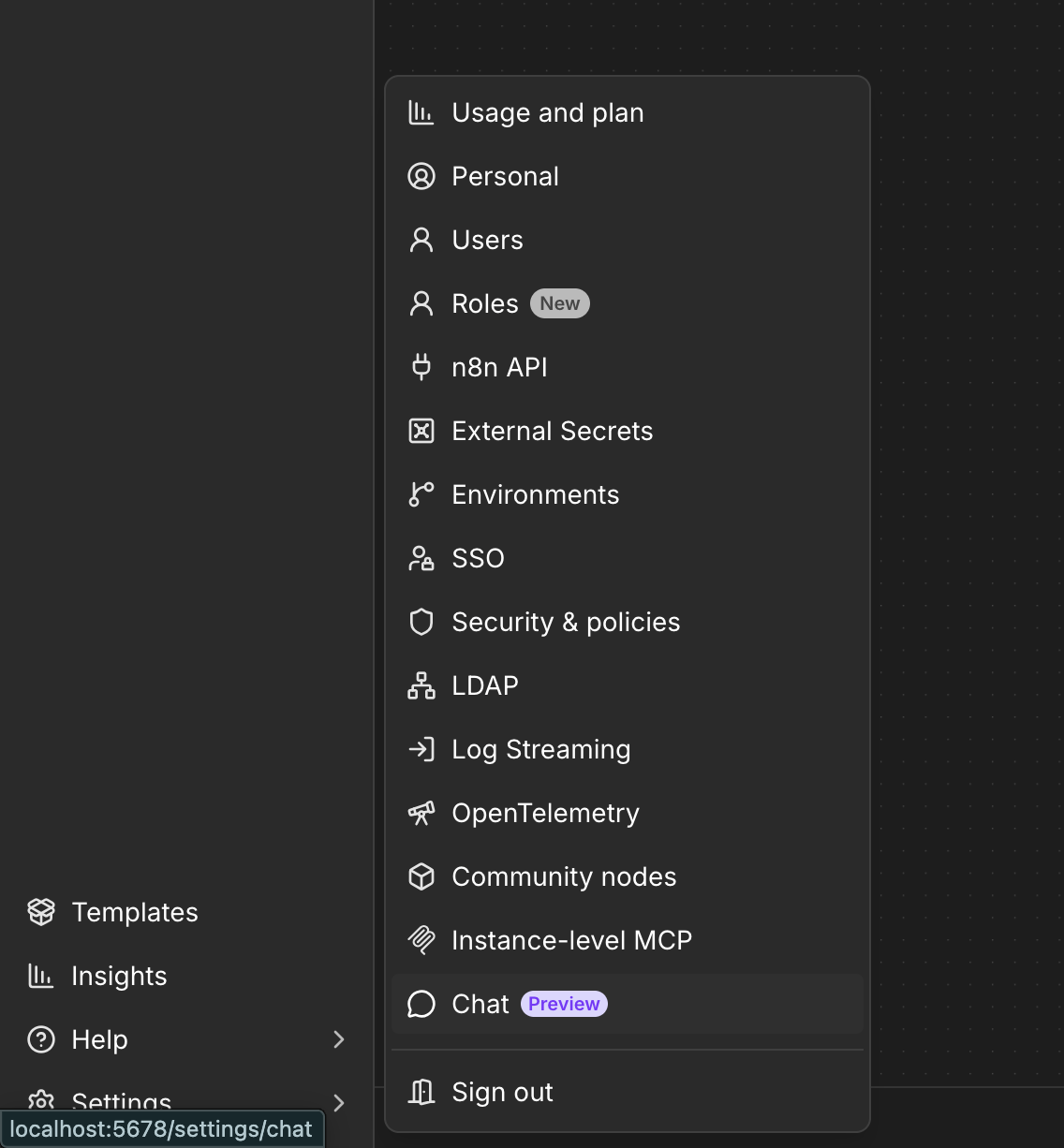
In your n8n instance, click your account menu in the bottom left and open Settings, then pick Community nodes from the list.
- 2
Install n8n-nodes-giggal
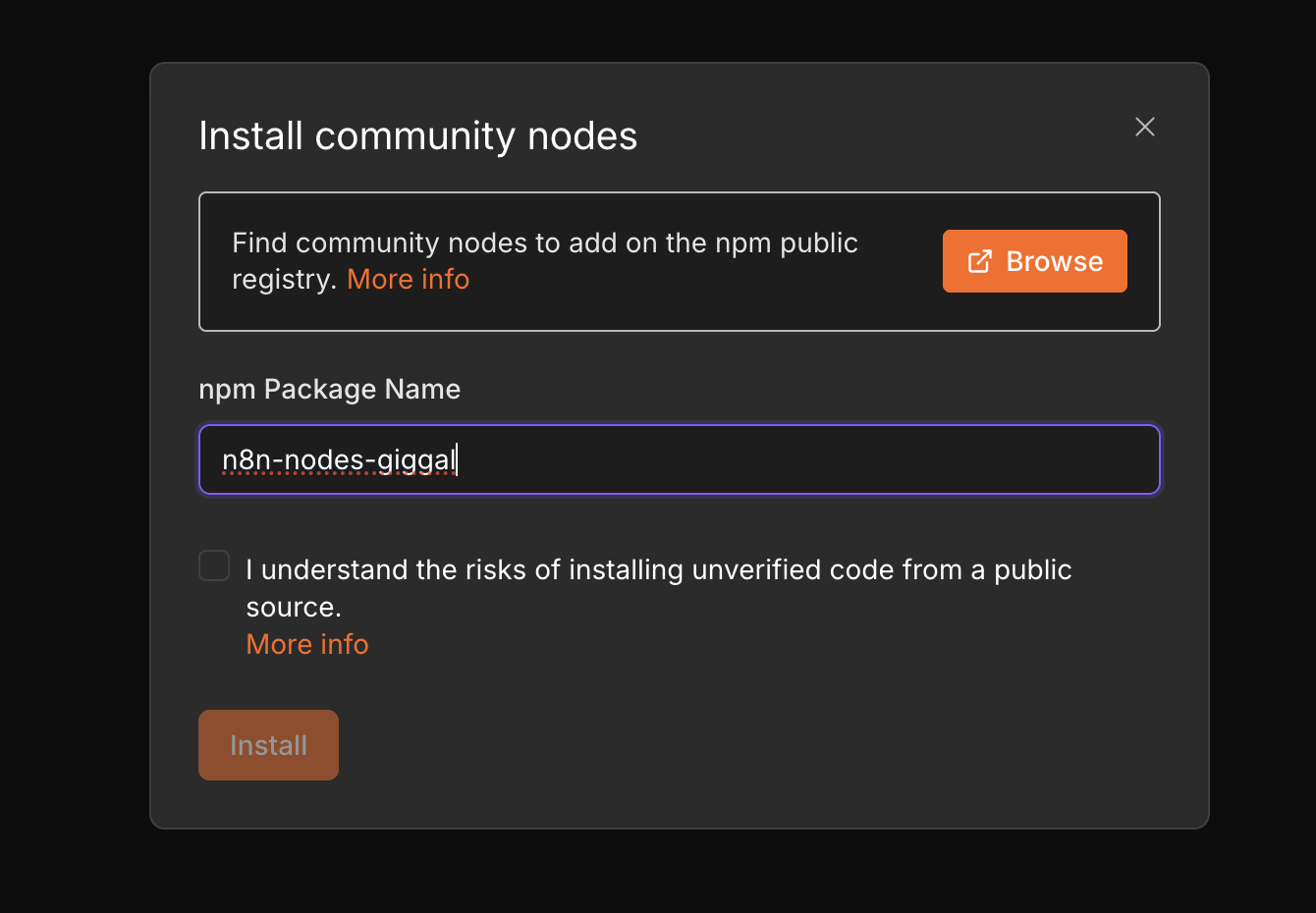
Click Install a community node, type n8n-nodes-giggal into the npm Package Name field, tick the checkbox and hit Install. n8n pulls the package straight from npm and the Giggal.ai node shows up in your node picker.
- 3
Add the node and create a credential
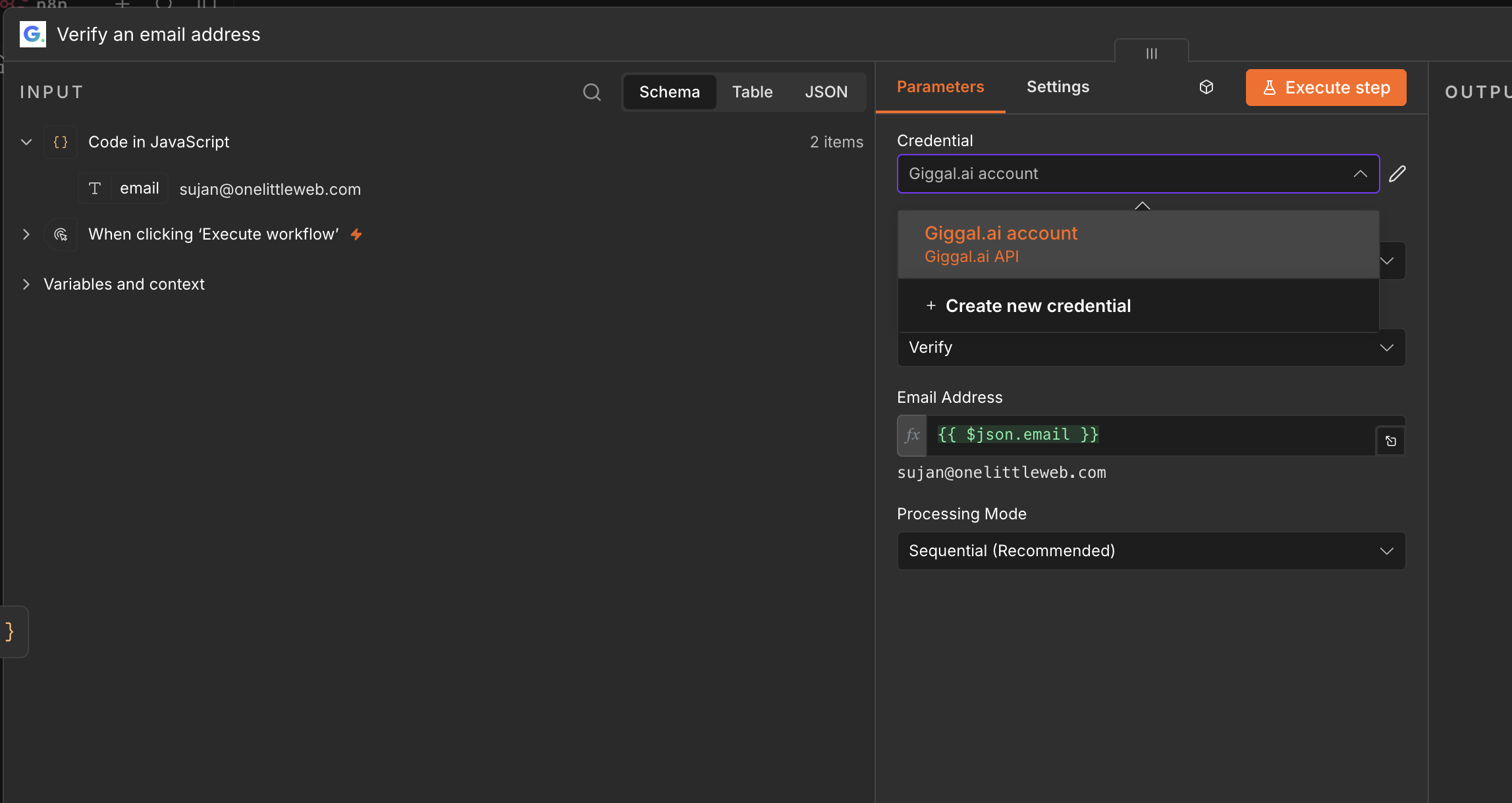
Drop the Giggal.ai node into a workflow. In the Credential dropdown, pick Create new credential.
- 4
Paste your API key
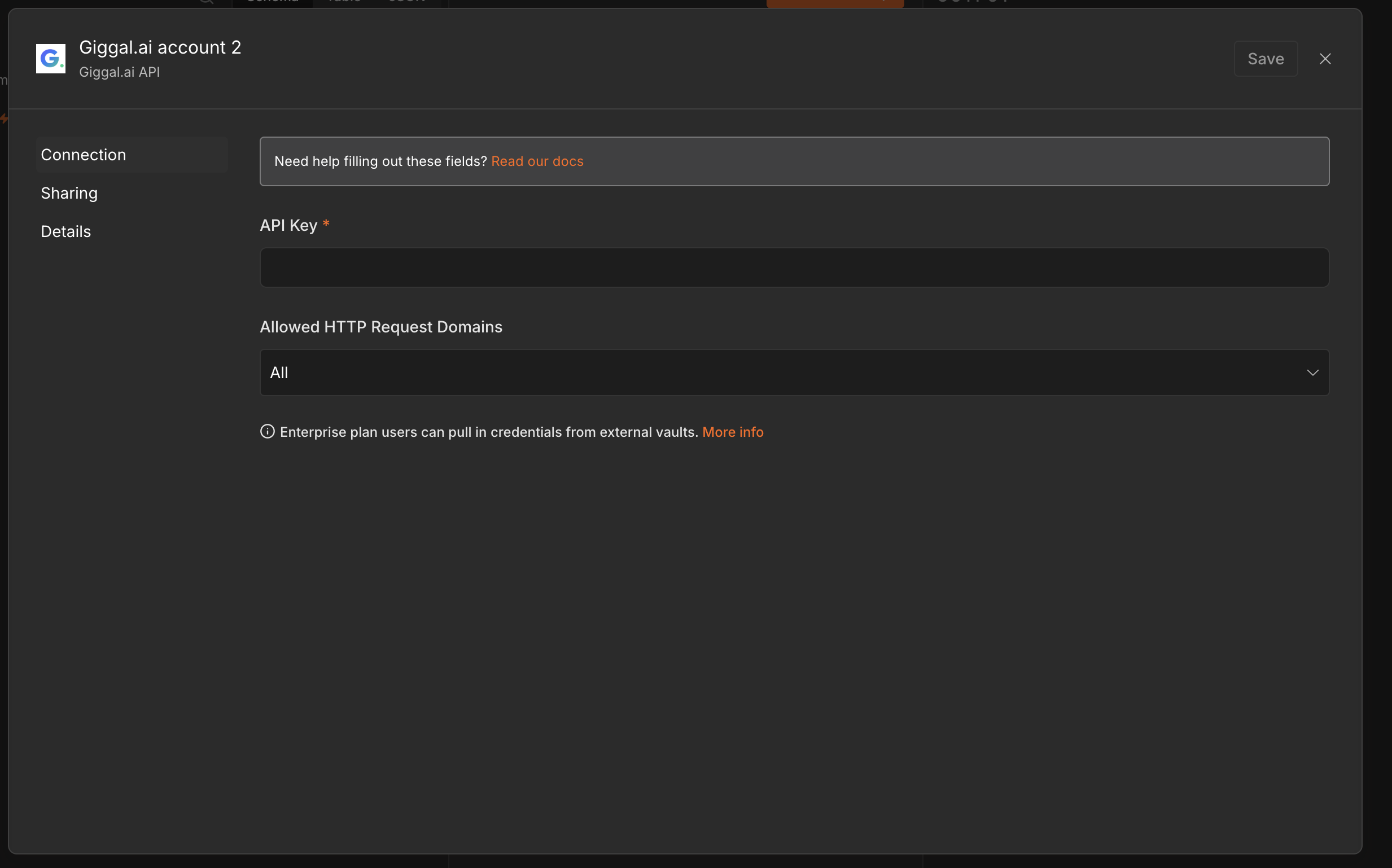
In your Giggal.ai dashboard, open the Developer API tab in the sidebar and click Create API Key. Paste the key into the API Key field and save. The credential is now ready for every Giggal.ai node in your instance. New accounts come with 1,000 free credits, no card needed.
- 5
Verify your first email
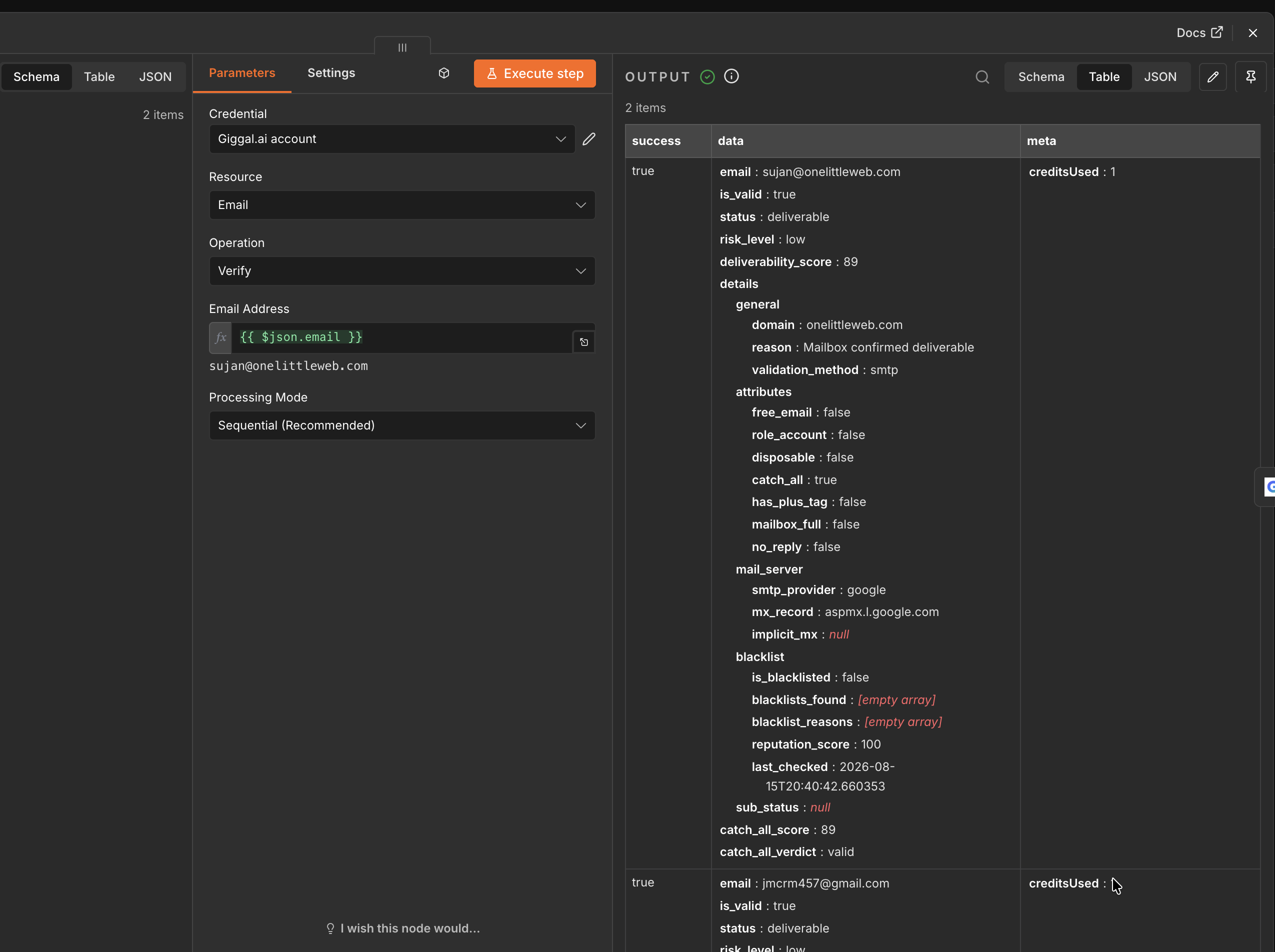
Set Resource to Email and Operation to Verify. Map the Email Address field to your incoming data with an expression like {{ $json.email }}, then hit Execute step. The output lands in seconds: status, risk level, deliverability score, and the full catch-all breakdown.
Verifying Whole Lists
For anything bigger than a handful of addresses, use the Job resource. The pattern is submit, poll, fetch: three nodes and your whole list comes back verified.
- 1
Kick off a batch with Verify Batch
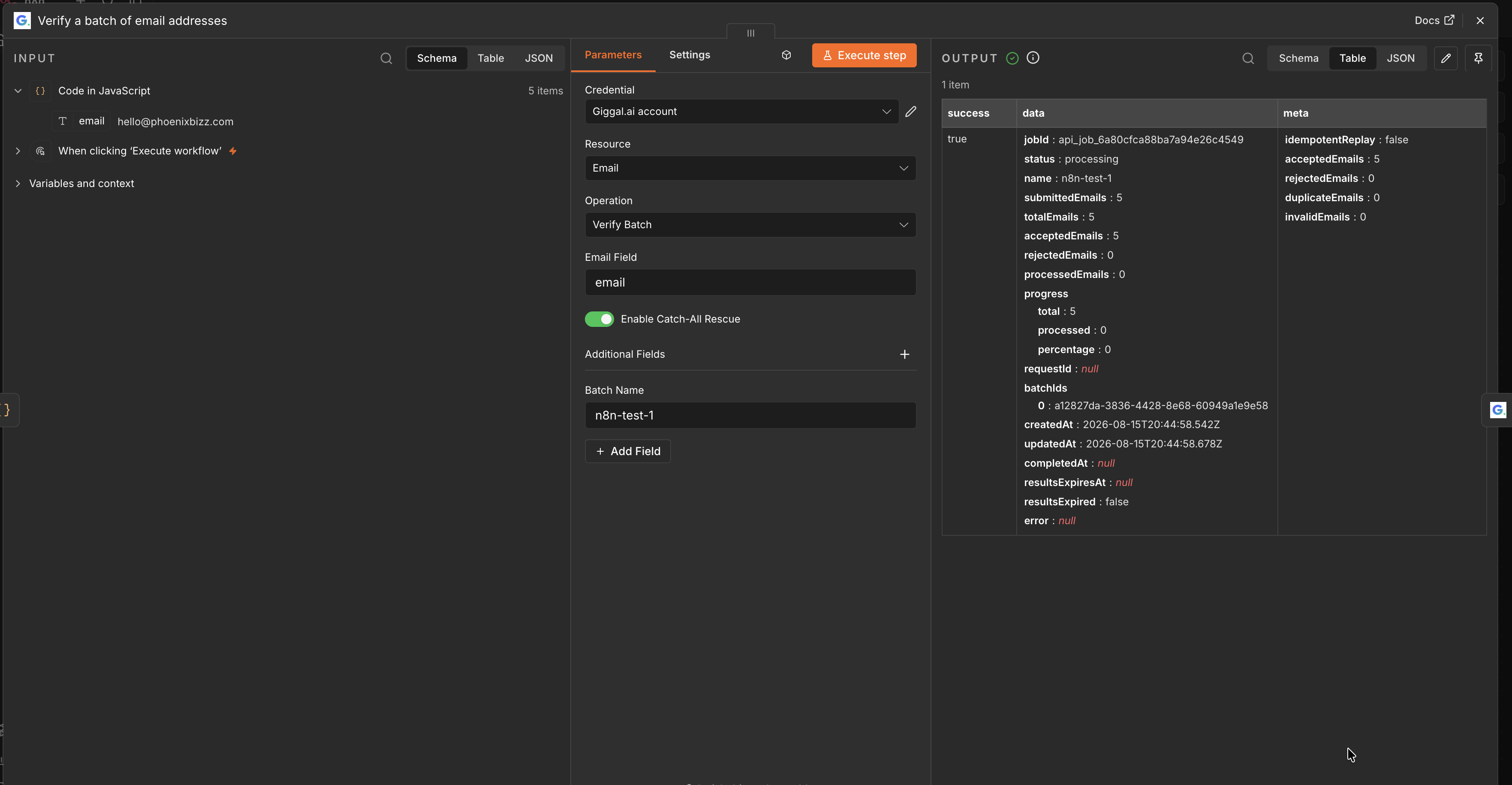
Set Operation to Verify Batch and point Email Field at the property holding the addresses. Give the batch a name if you want to find it in the dashboard later, and leave Enable Catch-All Rescue on so catch-all addresses get resolved instead of skipped. The node returns a job ID immediately while verification runs in the background.
- 2
Poll the job with Get Status
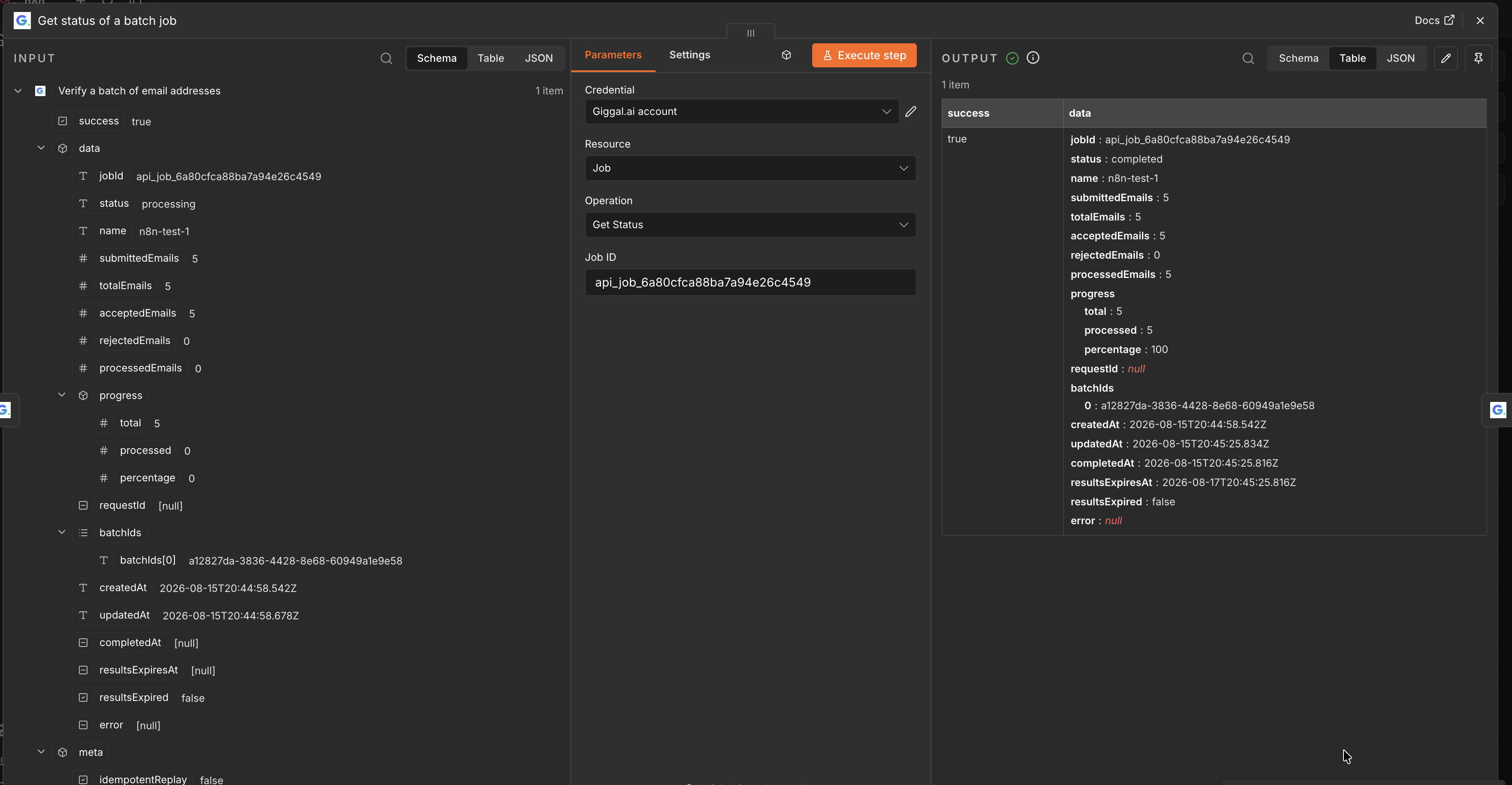
Switch Resource to Job and Operation to Get Status, and feed it the job ID from the previous step. Small lists usually finish in well under a minute; a Wait node between checks keeps the loop polite.
- 3
Fetch everything with Get Results
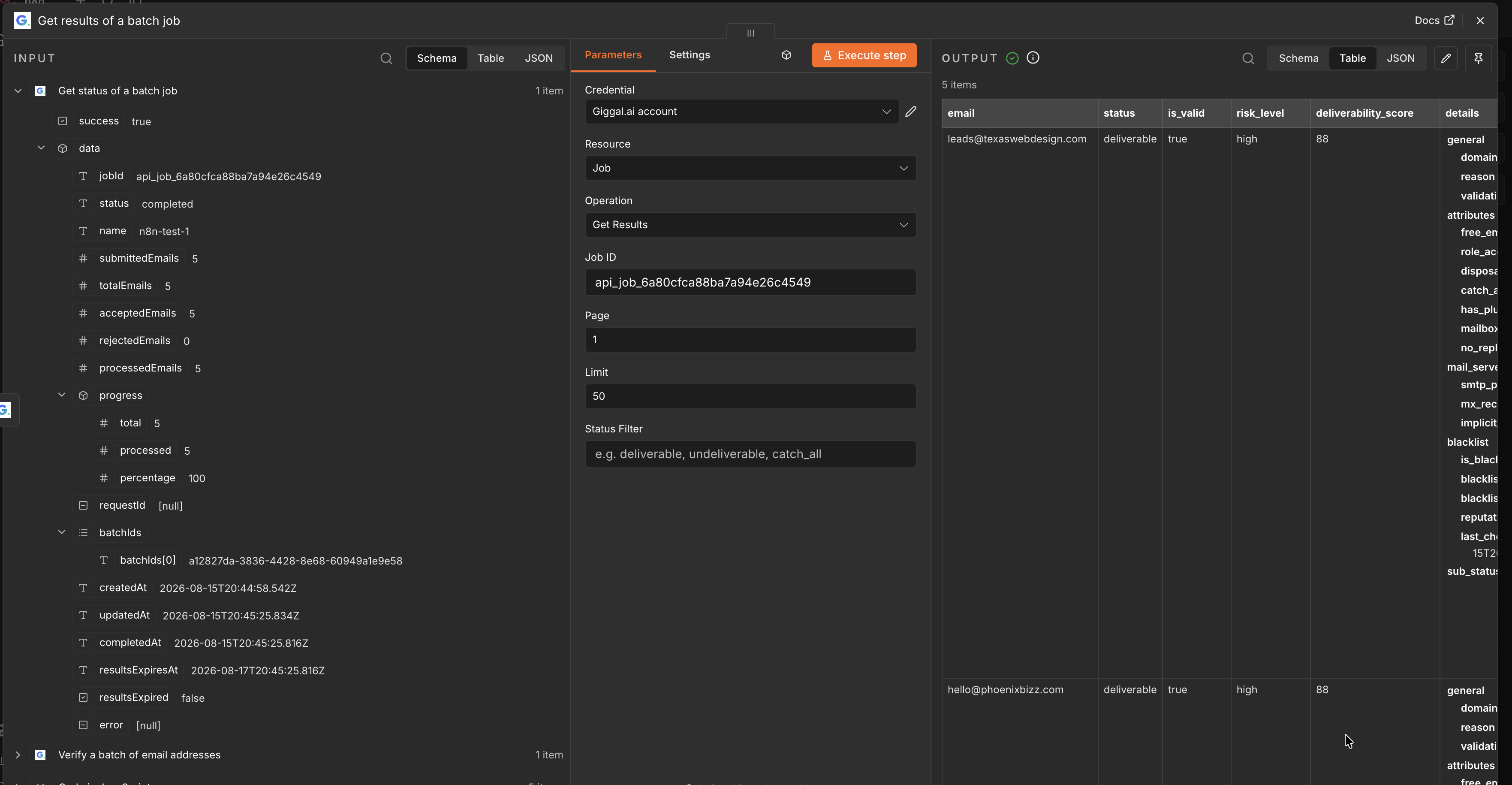
Once status shows completed, run Get Results with the same job ID. You get one item per email with status, risk level and score, ready for whatever comes next in the workflow. The Status Filter field lets you pull only deliverable, undeliverable or catch_all rows.
Powered by a catch-all email verifier, not a standard checker
Most verifiers stop at a basic SMTP ping. SEG-protected addresses come back as unknown, and catch-all domains come back as risky. Giggal.ai verifies both. It bypasses secure email gateways like Proofpoint and Mimecast, runs deep verification on catch-all domains, and confirms the mailbox behind every address in your n8n workflow actually exists. Either way you get a clear valid or invalid result, and around 30% more of your list stays usable. That is what makes it a catch-all email verification tool rather than another checker. See how catch-all verification works.
n8n Integration FAQ
Does the Giggal.ai node work on n8n Cloud?+
Yes. Install it through Settings and Community nodes, connect your API key, and it works the same on n8n Cloud and self-hosted instances.
Is the community node safe to install?+
The package is published by the Giggal.ai team as n8n-nodes-giggal on npm, and the source is open for anyone to inspect. It talks only to the Giggal.ai API with the credential you configure, nothing else.
Can it verify catch-all emails inside n8n?+
Yes, that is the reason to pick Giggal.ai over a generic checker. Giggal.ai is a catch-all email verification tool: single verifications resolve catch-all domains automatically, and batches do the same when Enable Catch-All Rescue is on. You get a clear result with a score instead of a risky label.
What does verification cost through n8n?+
Same pricing as everywhere else: 1 credit per verification, with catch-all deep verification running in-line when a domain needs it. New accounts start with 1,000 free credits and no credit card.
What comes back in the output?+
Each verified email returns status (deliverable or undeliverable), risk level, a deliverability score, attribute flags like free email, role account and disposable, mail server details, and the catch-all result with its score. Everything is normal n8n JSON you can route, filter and map.
Add Email Verification to Your n8n Workflows
Install n8n-nodes-giggal, paste your API key, and your workflows stop passing around dead email addresses. 1,000 free credits to start, no card required.